Gear inventory for film and photo crews

Know where every piece of gear is.

Put a QR label on every item, scan it with your phone, and see who has what. GearDomain keeps your crew’s gear, kits and reservations together on iPhone, Android and the web.

Works offline. No special hardware.

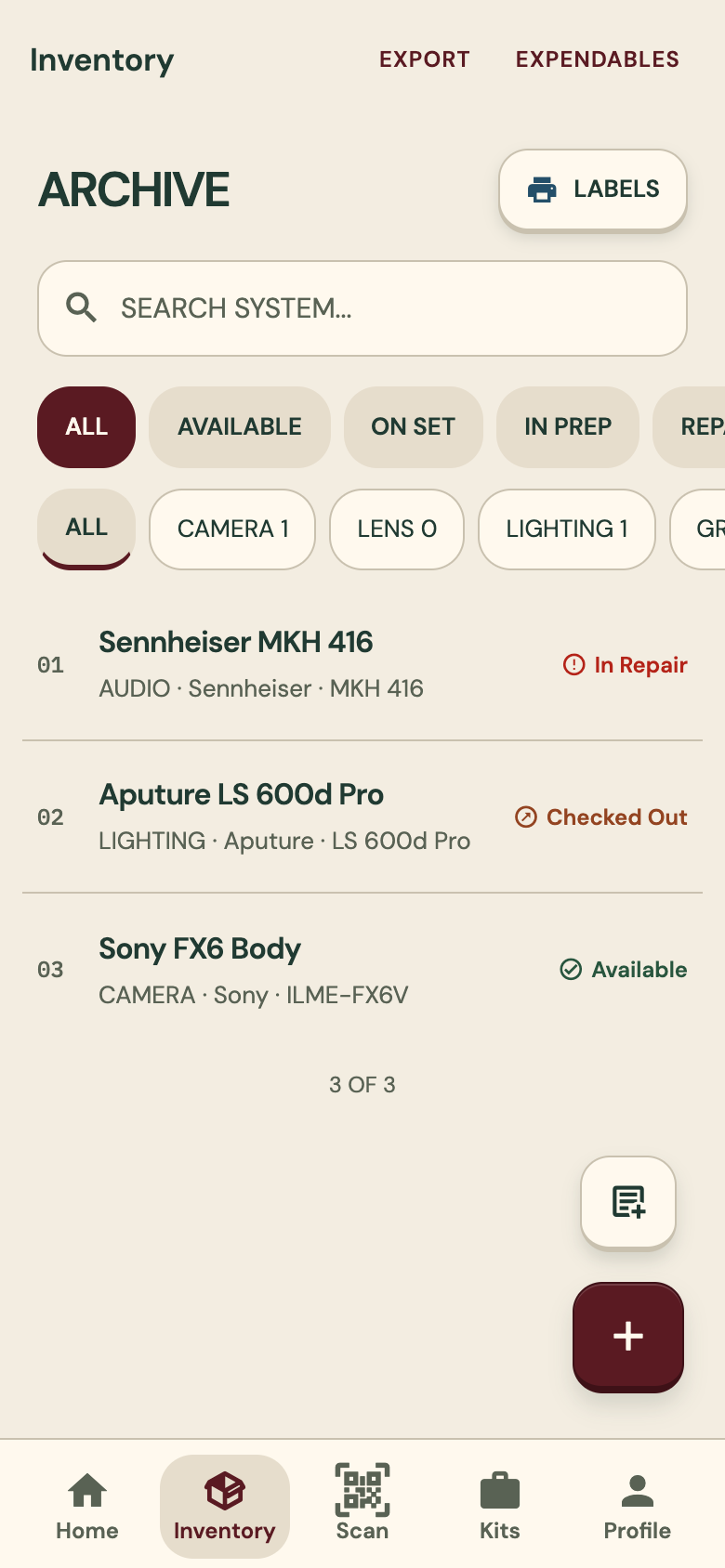
GearDomain inventory list: a Sennheiser MKH 416 in repair, an Aputure LS 600d Pro checked out and a Sony FX6 body available
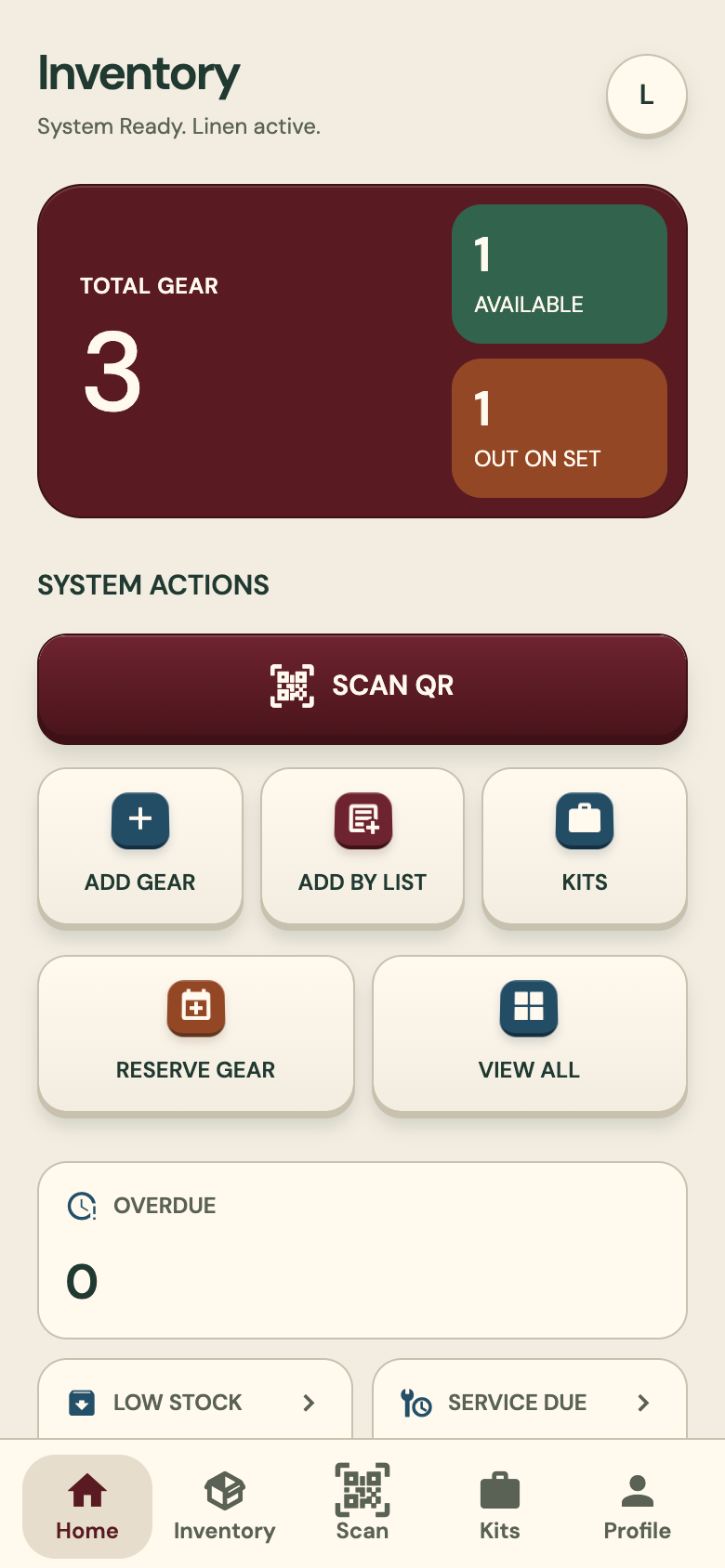
GearDomain home screen: total gear, available and out on set, a Scan QR button and shortcuts to add gear, add by list, kits and reserve gear

Works offline.

Changes are saved on the phone first and sync when it is back online.

Nothing is guessed.

Talk to Inventory reads your list with fixed rules and a gear catalog, not a language model.

Any phone, no special hardware.

The phone camera scans the QR labels. NFC tags are optional, on Android phones that have NFC.

Features

Built for the moment gear changes hands.

From the label on the case to the signature at check-in, each job has its own screen. These are real screenshots of the app.

01 · QR labels and scanning

A label on every item. One scan opens it.

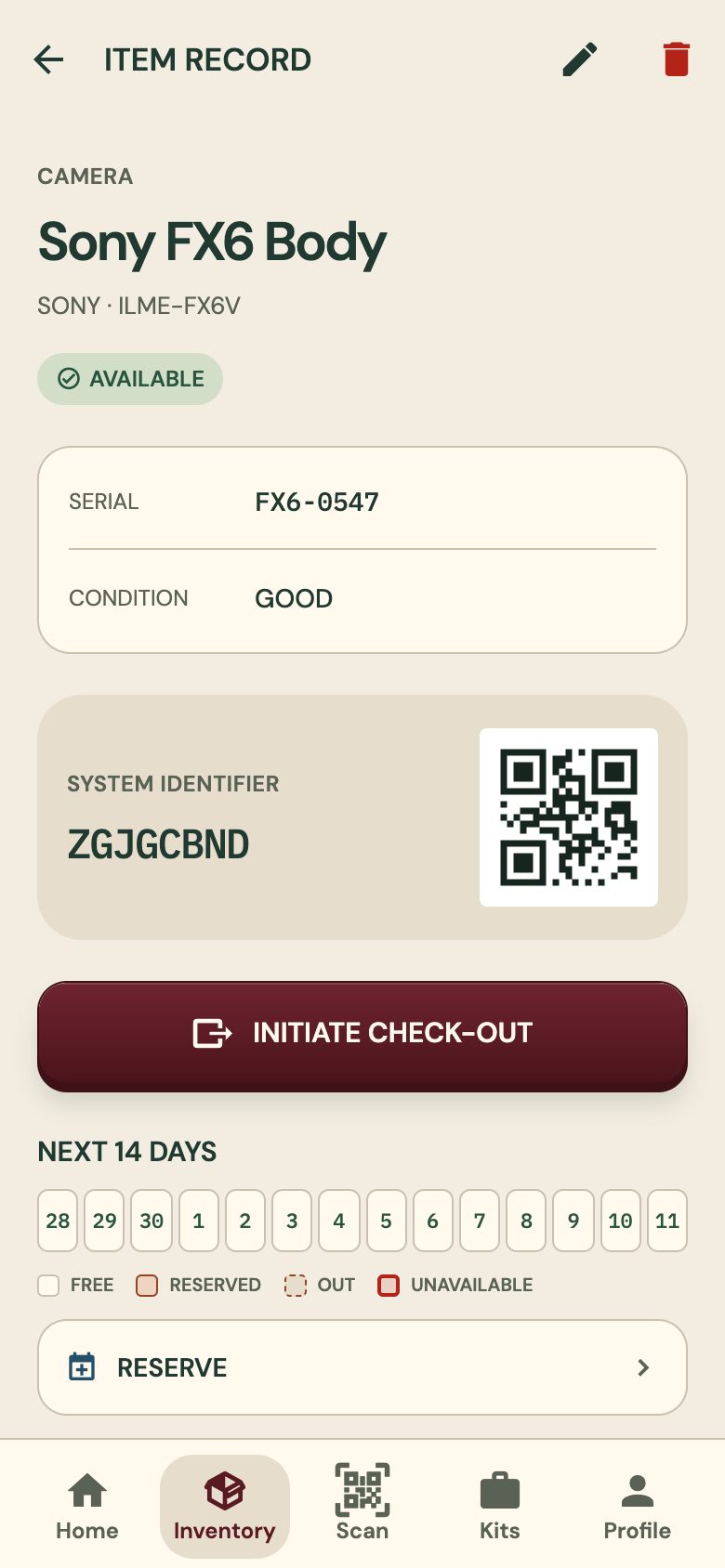
Print label sheets as PDFs and stick one label on each item. Scan it with the phone camera and the item’s record opens, with its serial, condition and the next 14 days.

  • Label sheets print as PDFs
  • The phone camera reads the label
  • NFC tags work too, on Android phones that have NFC
Labels and scanning

Item record for a Sony FX6 body: serial, condition, the item’s QR code, a check-out button and the next 14 days

02 · Check-out and check-in

See who has what, signed for.

Check gear out to a crew member and back in when it returns. They sign on the screen, and you can add condition photos. Every row in the inventory shows where the item stands.

  • A signature drawn on screen
  • Optional condition photos
  • Status on every row: available, checked out, in repair

Check-out and check-in

Inventory list filtered by status and category, with three items: in repair, checked out and available

03 · Kits

Pack it once. Move it as one.

Group the items that travel together into a kit. Then check the whole kit out, or back in, in one go.

  • Any items can form a kit
  • One check-out for the whole kit
  • One check-in when it comes back

Kits

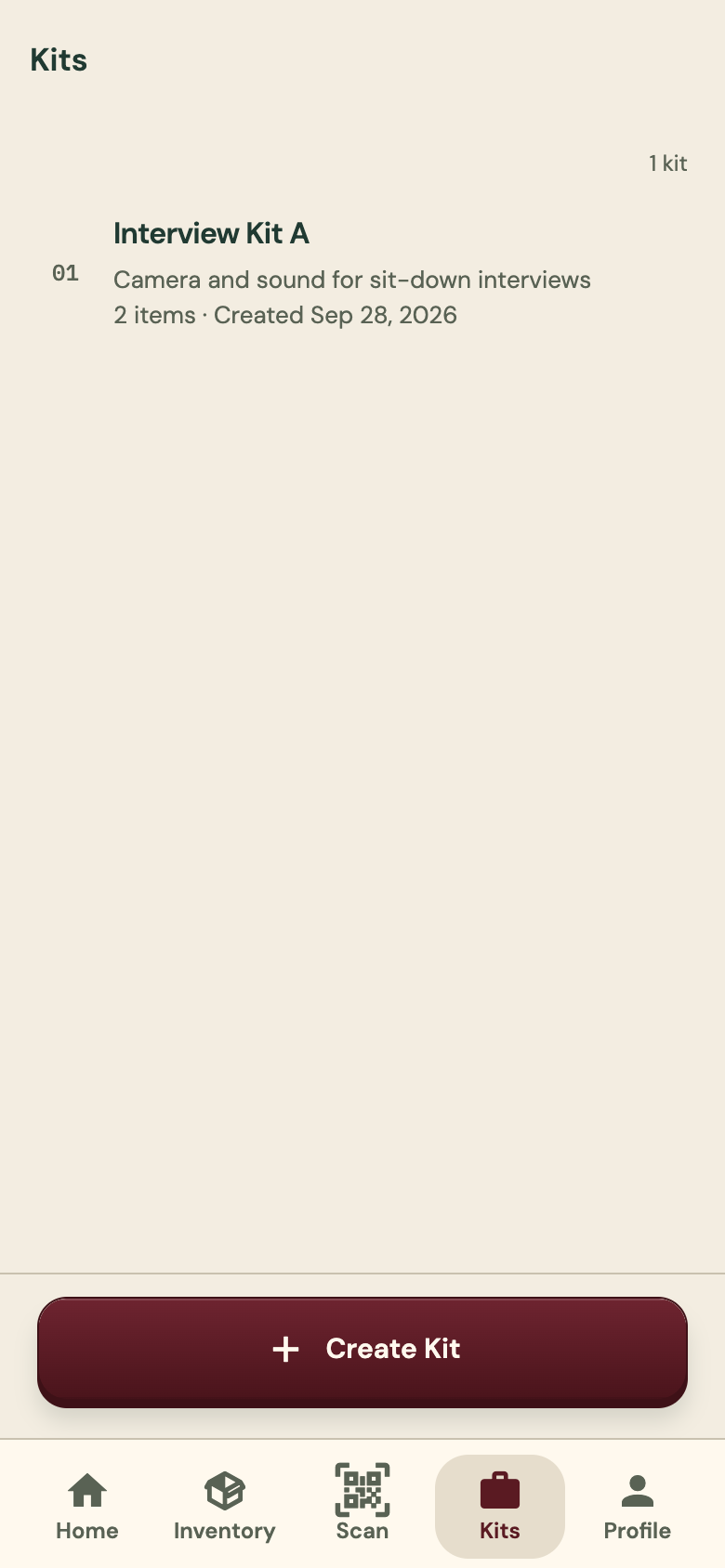
Kits screen listing one kit, with a Create Kit button
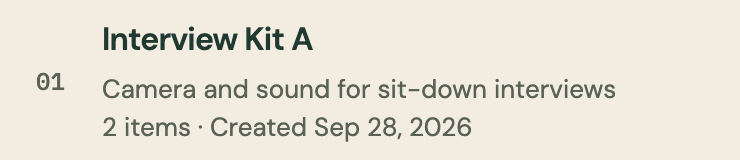
Enlarged: Interview Kit A, camera and sound for sit-down interviews, 2 items, created Sep 28, 2026

04 · Reservations and maintenance

Book it ahead. Keep it working.

Reserve gear on a calendar that refuses overlapping bookings. Keep service reminders and a repair log, and mark an item lost or stolen when it is gone.

  • Overlapping bookings are refused
  • Service reminders and a repair log
  • A lost or stolen status

Reservations and maintenance

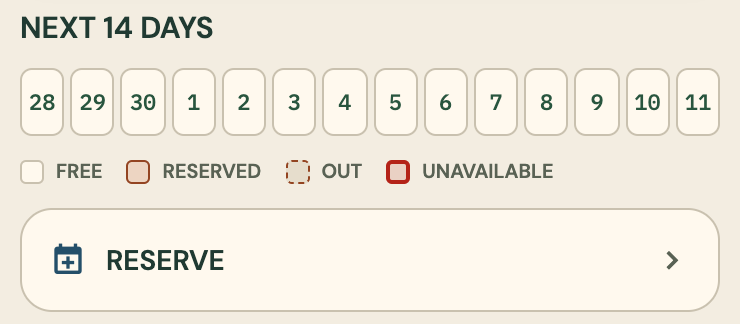
The next 14 days on an item record, with a key for free, reserved, out and unavailable, and a Reserve button
The next 14 days, on the item record.
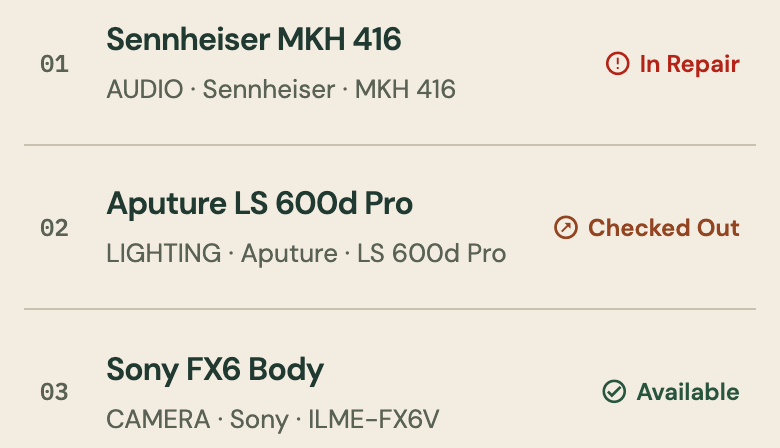
Three inventory rows: Sennheiser MKH 416 in repair, Aputure LS 600d Pro checked out, Sony FX6 body available
Status on the inventory list.

05 · Teams and requests

One inventory for the whole crew.

Invite crew members to your organization so everyone works from the same list. Anyone who needs gear can ask for it through a shared link.

  • Invite crew members to the organization
  • Gear requests by shared link
  • iPhone, Android and the web

Teams and requests

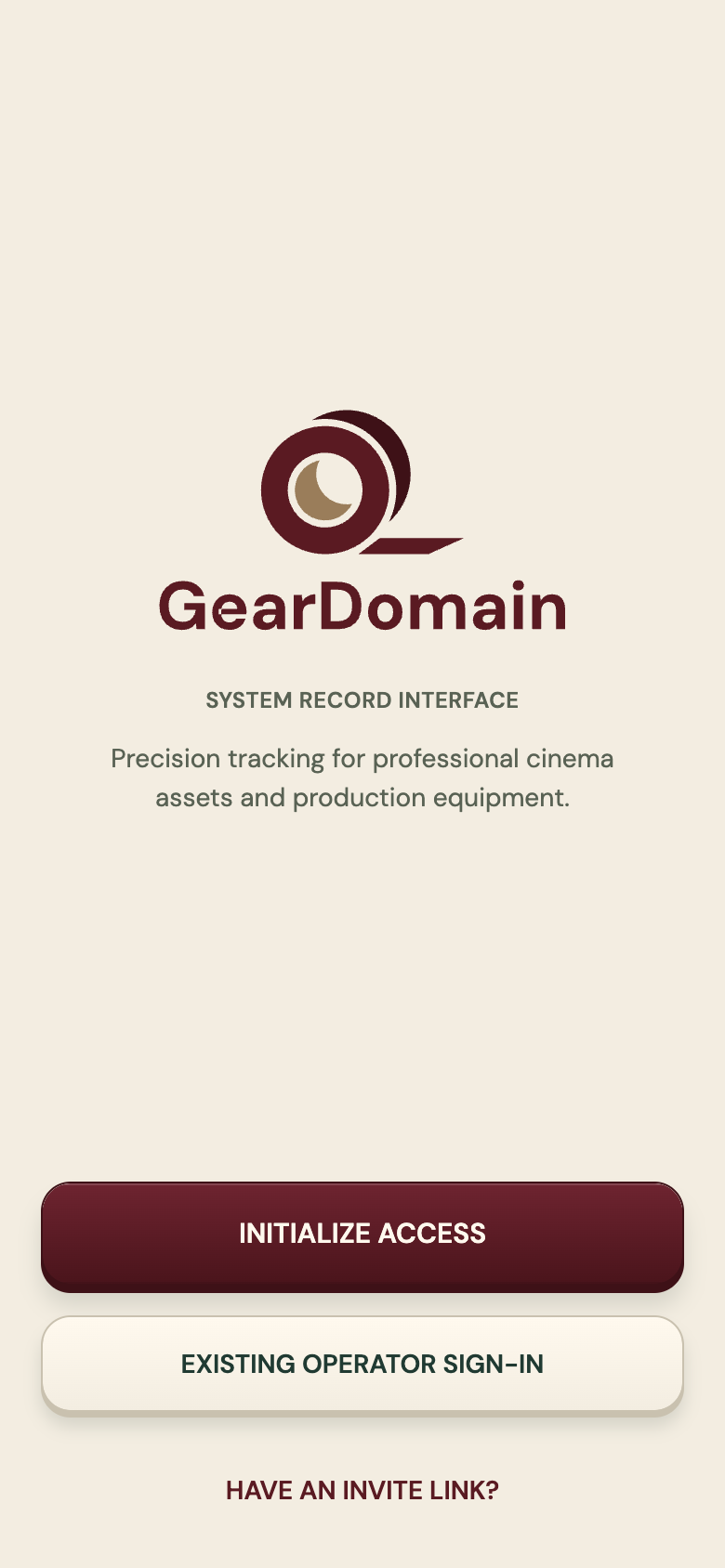
GearDomain welcome screen with the tape-roll logo, buttons to create access or sign in, and a link for people who have an invite

All eight features

How it works

Add. Label. Track.

See each step
  1. Add your gear

    Say it, type it, or pick it from the catalog.

  2. Label it

    Print QR label sheets, or use NFC tags on Android phones that have NFC.

  3. Track it

    Scan to check gear out and back in.

Talk to Inventory

Say your list. Check the cards.

Talk the way you would to a person, or paste a list from your notes. Each item becomes a card with its name, quantity and category, and you check every card before you import.

  • Fixed reading rules and a gear catalog, not a language model
  • Brand and model come only from a catalog match, never a guess
  • A phrase that could be gear but is not read as an item waits on a Left out line instead of being lost

How to write a list

Illustrative example from the Help guide, not a screenshot

You say

“Okay so um I’ve got two Sony FX3s, a couple of Aputure 600d lights that I use for interviews, and then my Sennheiser MKH 416, that’s about it”

You check three cards

  • Sony FX3s×2
  • Aputure 600d lights×2
  • Sennheiser MKH 416×1

The talk around the gear is dropped. Then you import the whole list at once.

Found-item page

When gear goes missing, the label still works.

Anyone who finds a labelled item and scans it sees a page where they can tell the owner. No app, no account.

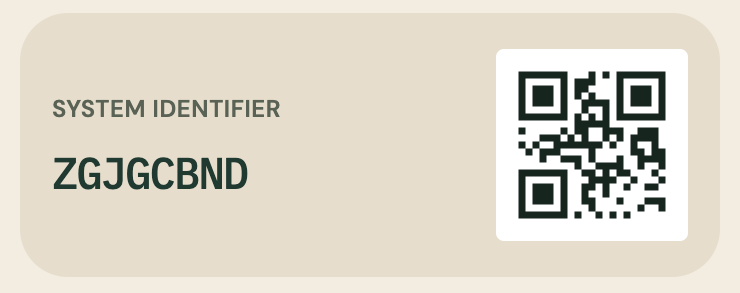
An item’s system identifier, ZGJGCBND, next to its QR code
Each item’s QR code, as shown on its record.
  1. Every item carries a label

    Each item has its own QR code, printed on a label sheet and stuck on the gear.

  2. A finder scans it

    With their phone camera. They need no app and no account.

  3. They tell the owner

    The found-item page gives them a way to tell you they have it.

The found-item page

Get the app

Start in your browser today.

The web app is open now. The iPhone and Android apps are coming soon to the App Store and Google Play.

Use it in your browserApp StoreComing soonGoogle PlayComing soon

Ways to get GearDomain

Questions

Short answers first.

All twelve are on the questions page.

All questions

Does it work without signal?

Yes. Changes are saved on the phone first and sync when it is back online.

Do I need special hardware?

No. The phone camera scans the QR labels, and label sheets print as PDFs. NFC tags are optional, on Android phones that have NFC.

Does Talk to Inventory use a language model?

No. It reads your list with fixed rules and a gear catalog, and it never guesses a brand or model. The same sentence always gives the same cards.

What happens when someone finds a lost item?

They scan its label and see a page where they can tell the owner. They do not need the app or an account.